
Gradient Creator
Everything You Actually Need to Know About CSS Gradient Generators
From browser-native syntax to the best gradient creator online
— a working designer’s field guide to color transitions that don’t look dated.
There’s a special type of embarrassment that comes with shipping a gradient fit for 2007 MySpace. Very loud, very plasticky, very perfectly even symmetric, scream of someone who combined two hex codes together and said “Done! Assemble is hopeful in the same way Photoshop gradients are: possible data. And yet the alternative, spending forty minutes in Photoshop driving color stops around until it finally “feels right” — isn’t something most working developers actually have available to them. All of this is exactly the niche a good css gradient generator fulfills. Not in those few seconds as a hack but instead, as an absolute creative instrument.
Over the last decade, gradients have been largely (but fairly quietly) rehabilitated. After hitting a low during the flat-design era, they’ve returned richer and more nuanced than ever before, now with psychologically-embedded roles in the visual identity of brands you engage with every day. Instagram’s five-color icon. Spotify’s campaign art. Google’s redesigned “G” mark, 2026. It is in your face that if done right, gradients are not decoration but a fundamental visual communication device for warmth, depth and also brand personality.
Who this guide is for? For the designer or developer who wants to know not only how to use a gradient creator but also why certain methods yield beautiful results and others give muddy ones. We’ll discuss the CSS mechanics, take a look at the best of what’s out there today, and devote some time to the craft choices that distinguish the professional work from what disappears quietly at the next design review.
| 67% | oms | 4 | 8+ |
|---|---|---|---|
| of major consumer brands use gradient elements in their identity | extra load time — CSS gradients are browser-rendered, not downloaded | native CSS gradient types: linear, radial, conic, and repeating | color spaces available in advanced gradient creator tools |
Why Gradients Still Matter, and Why They’re Hard
Before we talk about tools, it’s worth being honest about the problem. CSS gradients sound simple: you pick two colors, tell the browser which direction to blend them, and you’re done. And for a button hover state or a subtle background tint, that’s probably true. But the moment you try to create something that feels genuinely beautiful, a hero section background that pulls users in, a card gradient that complements your brand palette, the simplicity evaporates.
The core issue is that the color models that browsers use to interpolate gradients are not the same as the way human vision perceives color transitions. When you blend from a vivid blue to a saturated pink in standard RGB space, the midpoint tends to go gray or muddy — what designers call the “dead zone.” This is why so many gradients feel flat or washed out, even when the endpoint colors are beautiful. A proper gradient creator online should account for this, and the best ones do.
“In visual perception, a color is almost never seen as it really is — as it physically is. This fact makes color the most relative medium in art.”
— Josef Albers, Interaction of Color
The answer lies in using interpolations within a perceptually uniform colorspace; for example, colorspaces such as LCH, OKLCH, and OKLAB that are designed to be more consistent with the way human eyes perceive changes in both luminance and hue. This creates gradients where the full spectrum of the colors appears throughout the gradient, eliminating the dark gray band in the center. It may seem complicated, but the effect is immediately noticeable when you see it.
The Four Gradient Types You Need to Know
CSS allows for four types of gradients. Getting familiar with each and every one of them is essential if you want to be efficient with any CSS-based gradient creator tool.


radial-gradient(circle at 35% ...
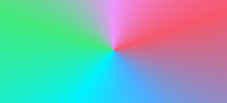
conic-gradient(from 0deg, #f09...

repeating-linear-gradient(45deg, ...
The Linear Gradient Generator — Getting the Syntax Right
The linear-gradient() is the key function used in CSS when it comes to adding color effects. Whenever you use a linear gradient generator, what it does is create this particular function by determining the gradient direction, color stops, etc. Knowing how the function works allows you to manipulate the code yourself and not use the tool each time you need to make some adjustments.
In order to create a basic linear gradient, you will have to define just the direction and two colors. It’s possible to describe the direction using keywords or a degree value. For example, zero degrees point upward, while 90 degrees point to the right side. By manipulating the degree slider within a gradient CSS generator tool, you change this value.
/* Keyword direction */
background: linear-gradient(to right, #1a2a6c, #b21f1f);

/* Angle-based direction */
background: linear-gradient(135deg, #1a2a6c, #b21f1f, #fdbb2d);

/* With explicit color stop positions */
background: linear-gradient(90deg,
  #1a2a6c 0%,
  #b21f1f 60%,
  #fdbb2d 100%
);
In the last example above, you can see color stops, one of the most underutilized yet most powerful tools available within a linear gradient generator. In this example, we instruct the browser to allocate 60% of the element’s width for the gradient between blue and red, and then cram the gradient from red to yellow into the remaining 40% of the space. The fact that the two colors aren’t evenly spaced makes this gradient unique.
Pro Tip — Color Stops
If you place two identical color stops at different positions (#ff0000 30%, #ff0000 70%), the browser renders a solid band of that color between those points — no blending. This lets you create hard-edge stripe effects within a gradient without any extra HTML or images. Many gradient creator CSS tools expose this as a “hard stop” toggle.
Radial, Conic, and the Underused Types
Although there are plenty of reasons why most designs today rely on linear gradients, there’s certainly room for other types of gradients. Off-center radial gradients can come especially handy for mimicking a light source – an off-center radial gradient centered at the top center will give the button a 3D look with lighter top parts and darker bottom sections. Such a trick was widely used by designers creating skeuomorphic designs in the early 2010s and is once again making its mark in glassmorphism and neumorphism design concepts.
Finally, conic gradients should definitely not be overlooked since they’re the best solution to create perfect pie or donut charts using only CSS and no other technologies like JavaScript or image files. There is also an excellent online tool where one can see how such a gradient looks when generated.
/* Off-center radial — simulates a light source */
background: radial-gradient(circle at 30% 30%,
  #ffffff 0%,
  #667eea 60%,
  #764ba2 100%
);

/* Conic — 60/40 pie chart in pure CSS */
background: conic-gradient(
  #e74c3c 0deg 216deg,
  #3498db 216deg 360deg
);
When to Use a Gradient Generator PNG Export
It is an important issue that arises frequently, particularly among people who collaborate on software development and design. Gradients in CSS are created by browsers in real-time – they are infinitely scalable, completely free from any additional weight, and can be adjusted in one command. In terms of web application purposes, they surpass images without any doubt.
Nevertheless, there are legitimate reasons to export PNG file from a gradient generator. When creating media content for social platforms – YouTube thumbnails, Instagram posts, LinkedIn banners, etc. – you have to provide the pixel version, as they do not support CSS. If you need to deliver the file to someone who cannot understand CSS – for example, a copywriter who is making a presentation or a marketer who wants to include it into a flyer – it will definitely make things simpler. Finally, PNG gradient file will be useful if you want to apply gradient effect to text in design programs using the overlay technique rather than background-clip: text command.
The applications that allow you to create gradients in the form of a PNG file, you can find on top of this pager, and make gradients for mobile, generally give you the option of specifying the precise number of pixels and exporting the image at retina screen resolution (2x or 3x). It is important to keep in mind that, without proper resolution, a gradient PNG will appear blurry when viewed on high-definition displays.
How to Use our Gradient Creator: A Step-by-Step Workflow
It’s easier than you think to get from inspiration to working code. Here’s how I go about using practically any gradient generator web tool, including including the one you can find on top of this page, and the slightly more sophisticated generators:
Choose your gradient type
Use linear for almost all situations. Radial is better when you want a source of light feeling or a centerpoint focal area. Choose conic when making a graph or something that resembles a pie. Repeating gradients can be overused easily but do well with stripes.
Set your anchor colors first, midpoints later
Choose your beginning and ending colors first; everything else can come later. You’ll quickly find out if the combination works just by looking at the gradient. If the result is not satisfactory at the mid point, either use perceptual color spaces (LCH or OKLCH) in your generator, or add a mid-point color.
Adjust direction and angle
Gradients along diagonal angles (45°, 135°) give a sense of movement that is missing from straight horizontal and vertical gradients. The degree field will always give a precise measurement compared to using the drag handle. When creating a gradient for branding, fix an angle and record it.
Refine color stop positions
Drag stops towards an anchor color to reduce the transition at one end and enlarge it at the other end. An asymmetric arrangement of stops results in a gradient that does not appear like an automated process. The ideal CSS tool for creating a gradient should display percentage values of stops.
Test in context before copying
A gradient that may appear perfect with respect to a white background generator may work quite differently when applied to a darker or even textured background. This is because most online gradient generators offer a simple white background as a sample.
Copy CSS and add vendor prefixes if needed
However, modern web browsers do not require vendor prefixes for the basic gradient syntax, although if you have a specific audience that uses an old version of Safari or Chrome, our tool will generate -webkit- prefixed versions.
The Choices Behind Gradient Design
Being able to use an effective gradient generator tool is just part of the picture. The rest involves making a number of choices that will help differentiate good work from bad. The following represent some of the guidelines followed by professional interface designers – they’re not absolute rules, and there are plenty of exceptions to them.
The problem with Choosing Pretty Colors for Pretty Gradients
By far the most frequent misstep involved when creating gradients is choosing two beautiful colors and expecting them to make an equally beautiful gradient. While this can work sometimes, it can just as easily end up producing something awful, since the gradient tool will pass from one color to another via an unwanted hue through RGB space. In cases like these, you have two options. You can either create your gradient using a perceptual color space supported by some gradient creators, or add a manual intermediate stop point in-between.
Contrast, Accessibility, and Text on Gradients
Text on gradients can be quite dangerous. A gradient which is 4.5:1 compliant on one side of an element may be less than 3:1 on the opposite side. There are several solutions that should help, such as using text over only the area of the gradient that passes the test, putting a dark semi-transparency behind the text, or checking the gradient for contrast at different points with an online tool.
Center-align a block of text over a gradient that transitions from near-black to near-white — some portion of the text will always be unreadable.
Brand Consistency with CSS Custom Properties
A feature that remains underappreciated in CSS gradients is the ability to compose with CSS custom properties, an advantage that no PNG-based workflow for gradients can ever match. With a CSS custom property for your brand colors declared on the root element, you can use them inside gradients. Changing one will automatically update all of them at once.
/* Define brand tokens once */
:root

/* Reference them in any gradient */
.hero

/* Dark mode overrides gradient automatically */
@media (prefers-color-scheme: dark)
Gradient Trends in 2026: What’s Working Right Now
The gradient landscape has undergone a drastic change in the last couple of years, and to stay current, you need more than the knowledge of who the trendy gradient creator on the web happens to be at any point in time. It demands an understanding of how to spot what is new and what isn’t.
This era is all about Aurora and noise gradients, which tend to come across as organic and imperfect, rather than mathematical. They use multiple colors, along with the grain effect on top of the gradient to make it more interesting and less digitally pristine. The 2026 app update from Google, for example, marks the first update since 2015 with a gradient that looks layered.
Then there are mesh gradients, which use a non-linear color blending to produce something reminiscent of a gel-lit photo background. While this was mostly used as a trick inside Figma earlier, we have now reached the point when the Filator Gradient Generator can actually generate mesh gradients, although their implementation in CSS is still lacking.
Grain gradients should be mentioned separately as they address a certain problem: gradients in digital design can seem too sterile. Applying a grain effect (filter: url(#grain), where #grain is an SVG feTurbulence filter) helps to make the gradient more tangible and material-like, which is appreciated by users who are tired of flawless design solutions. No alterations are needed from the part of the gradient maker, only an additional filter applied to a CSS gradient background image.
"Gradients are experiencing a major comeback. In 2026, they dominate branding, UI/UX,
and product design, especially when combined with grainy textures and blur effects."
— Analysis of 2026 design trends across major brand identity systems
What doesn’t work: Futuristic-inspired color transitions that are overly dramatic, the use of purplish to pink color combinations which have become so commonplace that they have lost their distinctive quality, and the application of gradient colors to all elements within a layout so that none stand out from any other element.
Choosing the Right Gradient Generator for Your Workflow
It is impossible to identify a universal best gradient maker; there will always be the best choice depending on individual criteria.
For example, developers looking for a way to speed up their CSS writing while experimenting with new colors do not need something too sophisticated. If they deal with an important flagship product and gradient quality is essential – they won’t allow banding and murky midpoints – then the gradient maker with color science under its hood should suit them perfectly.
Designers who need to export a gradient generator PNG to use outside code – on social media, during presentations, in Figma (when they want an image, not CSS) – will be satisfied with our gradient maker because it allows copying and pasting the resulting gradient as an SVG. In particular, our generator will be handy for the latter case because the resulting SVG will contain the exact same gradient information.
In case you are assembling a workflow, your best bet might be to stick with one of the online gradient makers for creative exploration and define the gradients you like as CSS custom properties for your design system. The gradient generator is the starting point, not the source of truth, which in this case should be your codebase.
Final Thoughts On Restraint
No matter how the discussion around gradient tools goes, it always leads back to the same point: While the generator is able to produce any kind of gradient, it does not provide you with an answer to whether you should actually produce it. The main pitfall is not ugly gradient; the problem is the overload of gradients. Six fighting against each other is less useful than one well-executed gradient which is done right.
Brands that use the transitions between colors in a way that really works – like Stripe, Linear, Spotify, and others who keep appearing in your favorite sources for design inspirations – are characterized by one type of gradient, one direction, one palette used on hero sections, products illustrations and everything related to the brand identity, creating an identity as recognizable as the logo itself. But there is no lesson on this in a gradient creator tool, despite its importance. It takes a good understanding of the mechanics behind – something we tried to achieve in this guide – before you are able to apply this knowledge wisely.
Choose your tool, learn how to write it correctly.